You can check battery health on an iPhone under Settings > Battery > Battery Health & Charging: the “Maximum Capacity” value shows how much energy the battery can still hold compared with when it was new. On Android, the route depends on the manufacturer, for example the Samsung Members app or, on newer Pixel models, directly in Settings. As a rule of thumb, the battery in a used smartphone is in good shape at 85% or more, and below 80% you should plan for a replacement.
How do I check battery health on an iPhone?
No extra app is needed, and the check takes under a minute:
- Open Settings > Battery > Battery Health & Charging (on some iOS versions simply “Battery Health”) and read the “Maximum Capacity”. If iOS recommends service there, the battery has deteriorated significantly.
- From the iPhone 15 onwards, the same screen also shows the cycle count. A cycle is complete once you've used 100% of the capacity in total, even spread over several days.
- Compare with Apple's design target: according to Apple, the battery in an iPhone 14 or older model retains around 80% of its capacity after 500 complete charge cycles, and from the iPhone 15 onwards after 1,000 cycles. If the value is already well below that after only a few cycles, the battery may have been exposed to high temperatures for long periods.
- On supported models, the parts and service history under Settings > General > About shows whether a replaced battery is a genuine Apple part.
On an Apple Watch, you'll find the maximum capacity on the watch itself under Settings > Battery > Battery Health, and the same rules of thumb apply if you want to buy a used smartwatch.
How do I check battery health on Android?
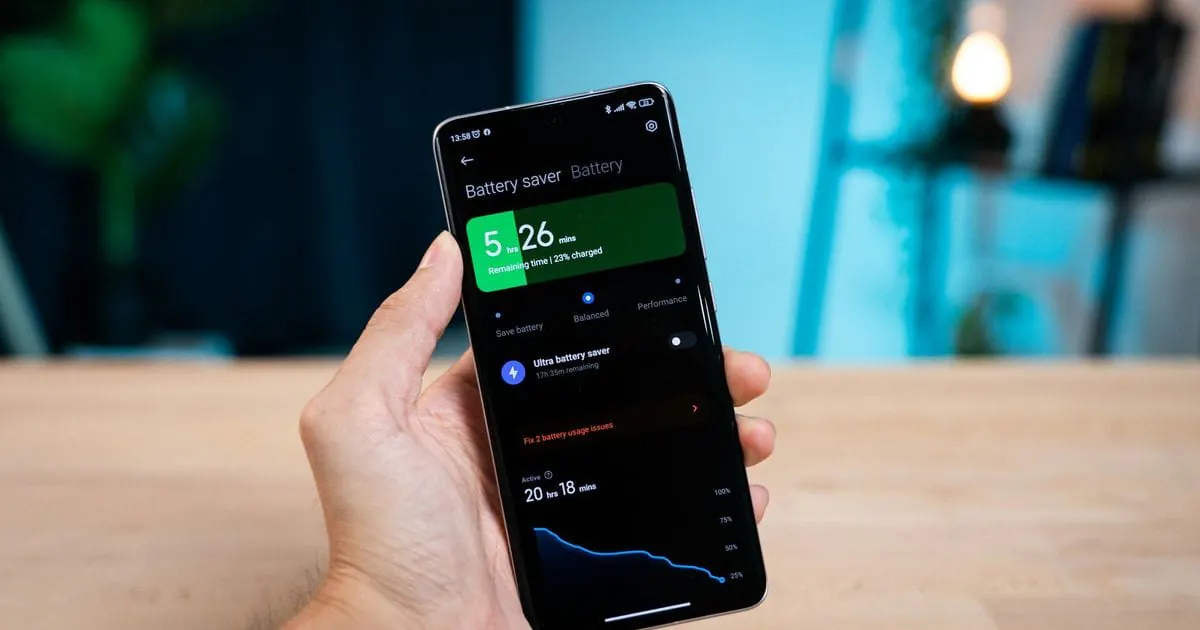
There is no single method: it depends on the manufacturer, model and Android version. On Samsung phones, the Samsung Members app has phone diagnostics with a battery test under Support, giving a rough rating or a more precise value depending on the model. Newer Pixel models show it under Settings > Battery > Battery health. With other brands, check the battery settings or the manufacturer's diagnostics app; third-party apps only give estimates.
What battery health is good when buying a used phone?
A lithium-ion battery losing capacity over time is normal wear, not a fault. These rules of thumb are not official manufacturer figures, just guidelines based on Apple's design target of around 80%:
| Maximum capacity | Rating | What it means for you |
|---|---|---|
| 95 to 100% | Very good | Almost as good as new |
| 85 to 94% | Good | Normal ageing, usually unnoticeable day to day |
| 80 to 84% | Fair | Shorter battery life possible, plan a replacement in the medium term |
| Below 80% | Weak | Replacement recommended, or factor it into the price |
If you buy privately, read the value on the device yourself or ask the seller for a current screenshot. For the other checks, see our checklist for buying a used smartphone.
When should I get the battery replaced?
A replacement makes sense when capacity drops below 80%, or the phone suddenly shuts down at a medium charge level or gets unusually hot while charging. If the casing bulges or the display lifts, the battery may be swollen. That's a safety risk: stop charging the device and take it to a qualified repair shop. If the device is otherwise in good shape, a new battery is often cheaper and more sustainable than a new phone.
How can I make my battery last longer?
- Avoid heat: according to Apple, iPhones work best at ambient temperatures between 0 and 35 °C, so don't leave your phone in a hot car in summer.
- Turn on optimised charging: on an iPhone, “Optimised Battery Charging” delays charging past 80%, and Samsung phones offer battery protection.
- Stick to mid-range charge levels: top up during the day instead of regularly running your phone down to 0%.
Buying a used smartphone from tested before
At tested before, the battery check is already done: we test every smartphone before it is sold, battery and charging included, along with the display, buttons, cameras and connectivity. The listing on eBay or Vinted shows an honest condition grade with real photos; our quality page explains how we test. Browse our tested used smartphones.